01Calculator & precision engine
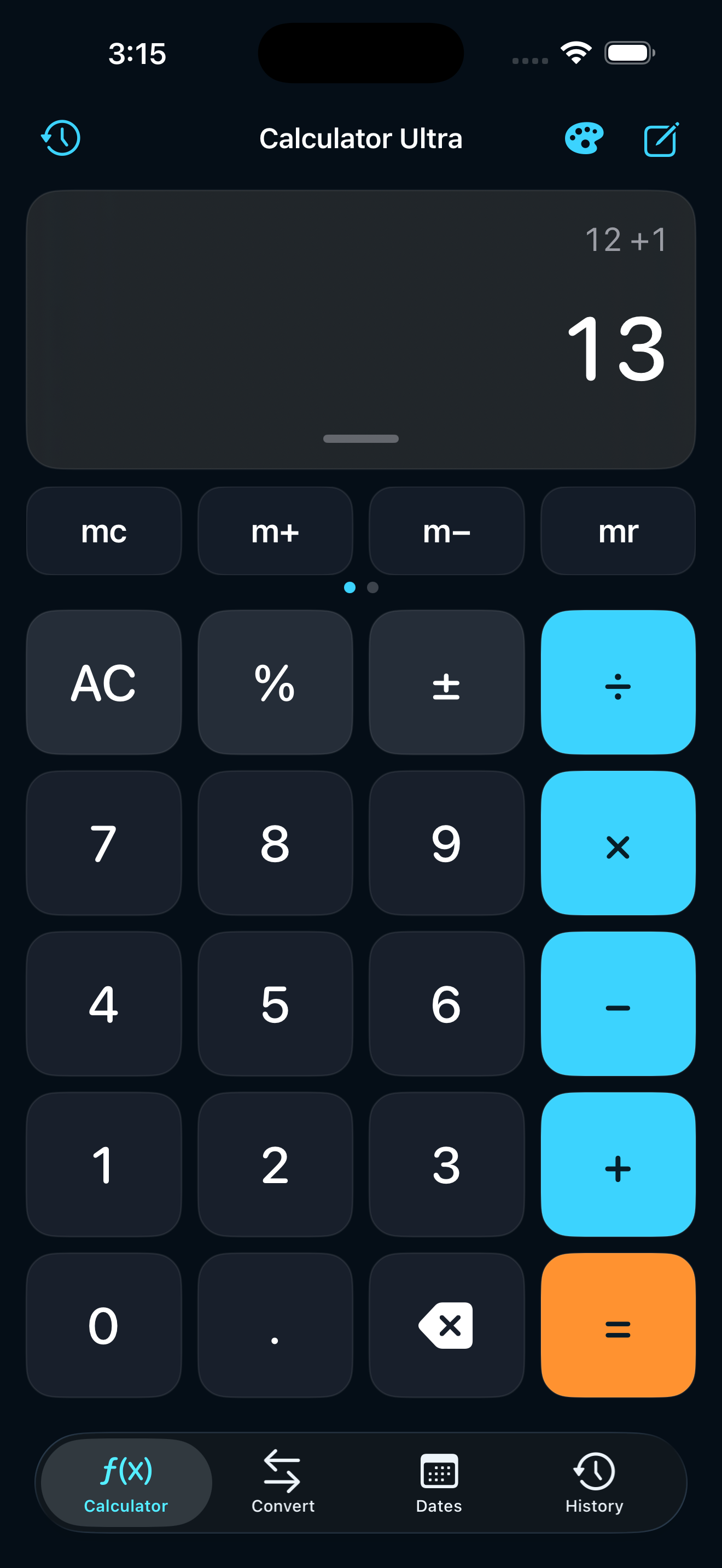
A spacious 4 × 5 keypad with adaptive 60–88 pt keys, live result preview, decimal and sign controls, percent, backspace, operator replacement, haptic feedback, and clear error messages. The expression engine handles order of operations, parentheses, powers, factorials, implicit multiplication, π and e, square and square root, reciprocal, absolute values, exponentials, trigonometry and inverse trigonometry in degrees or radians, plus log and natural log.
02Memory & calculation notes
Swipe between quick-function rows to use MC, M+, M− and MR, or reach π, x², √ and 1/x. Add context such as a client estimate before tapping equals; the note is stored locally with the completed calculation and remains searchable later.
03Private, searchable history
Every completed calculation is saved on-device with its expression, result, category, note and relative time. Search across calculations and notes, pin important entries, share a result, edit its note, swipe to delete, or clear only unpinned history while protected entries remain.
04Unit & currency conversion
Convert length (m, km, cm, mi, yd, ft, in), mass (kg, g, lb, oz, st), temperature (°C, °F, K), speed (m/s, km/h, mph, knots), volume (L, mL, US gal, qt, cups), and data (B, KB, MB, GB, TB, GiB). Currency covers USD, EUR, THB, JPY, GBP, AUD, CAD, CHF, CNY and SGD with live rates, local caching, rate date, unit swapping and save-to-history.
05Date calculator
Compare any two dates to see the calendar difference and total days, with +7 days, +30 days and +1 year shortcuts. A second mode adds or subtracts up to 10,000 days, weeks, months or years from a starting date, then saves the result to history.
06Interactive Home Screen widgets
The small widget shows the latest expression and result with a deep link. Medium adds an interactive AC, −1, +1, ÷2 and ×2 quick pad. Large delivers the complete 4 × 5 calculator directly on the Home Screen through App Intents, with two-way result and theme synchronization.
07Theme Studio
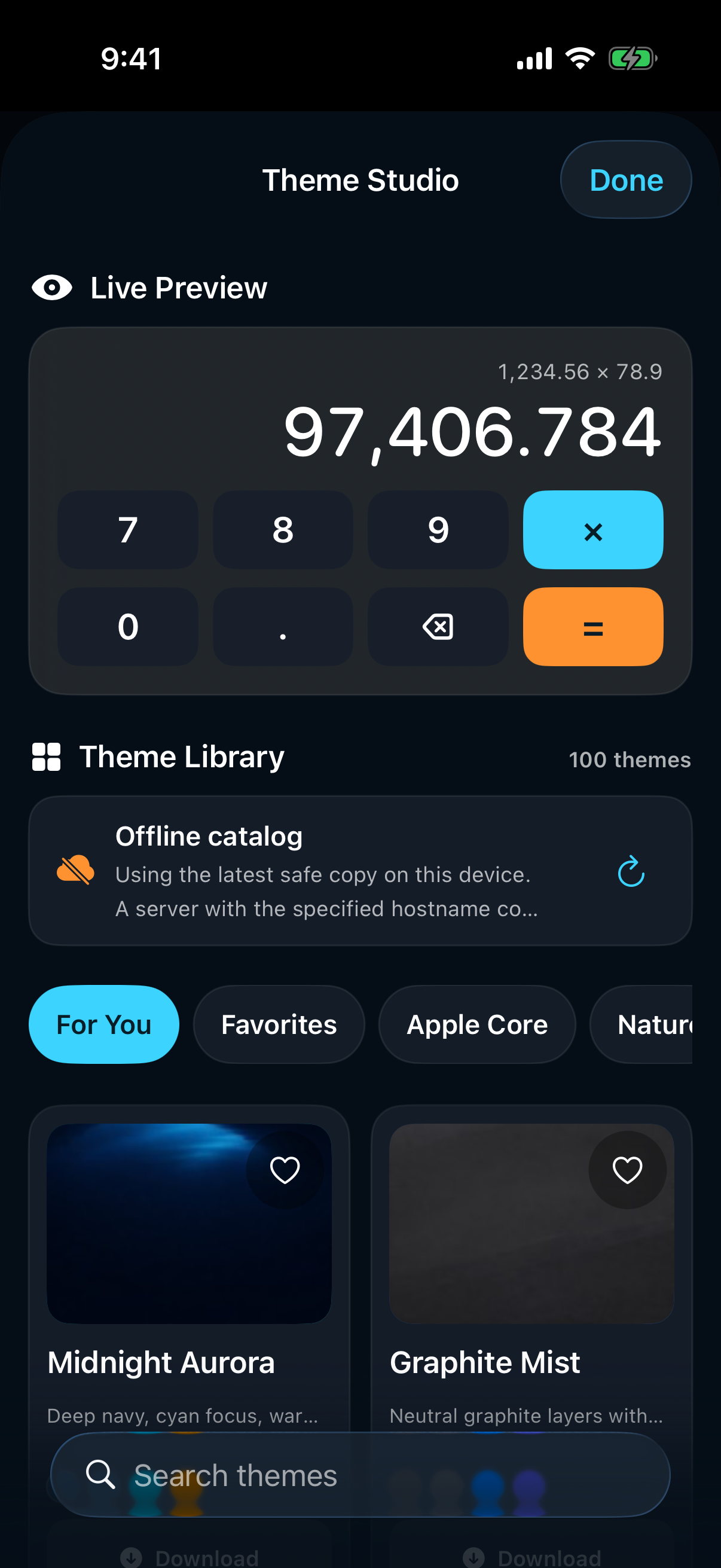
Preview four carefully designed local themes on a live keypad: Midnight, Graphite, Porcelain, and Forest. Choose Auto, Light, or Dark appearance, theme color or ten Apple accents, Standard or High Contrast, Reduce Transparency, and one-tap default restore—without downloading theme packs.
08Languages, accessibility & privacy
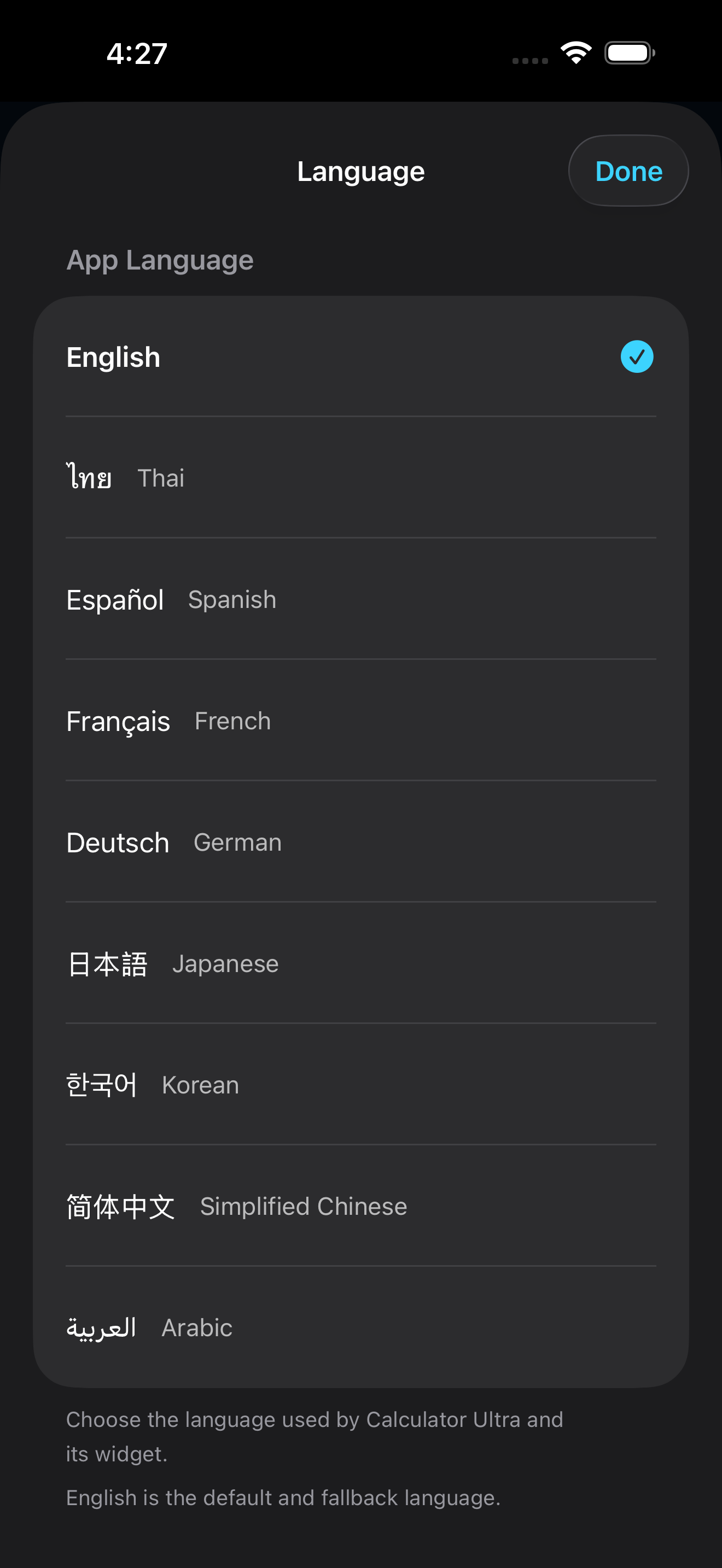
English is the default, with Thai, Spanish, French, German, Japanese, Korean, Simplified Chinese and Arabic—including right-to-left layout—shared with every widget. Dynamic Type, VoiceOver labels, Light/Dark Mode, High Contrast, Reduce Transparency, 44 pt-or-larger targets, iPad layouts and haptics are built in. Calculations, dates, notes, history, and themes stay on-device; only live exchange rates use the network.